Set up a pipeline for the application
There plenty of CICD tools on the market to build pipelines. Here is an example of one using the Github configuration files and Vercel for free web application hosting:
-
From the root folder that contains the HardHat config file and the frontend
appfolder, create a Github pipeline:mkdir .github mkdir .github/workflows touch .github/workflows/marketpulse.yml -
Edit the
.github/workflows/marketpulse.ymlfile to create a CI/CD pipeline, as in this example:name: CI on: push permissions: contents: read pages: write id-token: write concurrency: group: "pages" cancel-in-progress: false jobs: build-contract: runs-on: ubuntu-latest steps: - name: Check out repository code uses: actions/checkout@v3 - name: Use node env: DEPLOYER_PRIVATE_KEY: uses: actions/setup-node@v4 with: node-version: 18 cache: "npm" - run: npm ci - run: HARDHAT_VAR_DEPLOYER_PRIVATE_KEY=${{ secrets.DEPLOYER_PRIVATE_KEY }} npx hardhat compile - run: HARDHAT_VAR_DEPLOYER_PRIVATE_KEY=${{ secrets.DEPLOYER_PRIVATE_KEY }} npx hardhat test - name: Cache build-hardhat-artifacts uses: actions/upload-artifact@v4 with: name: ${{ runner.os }}-build-hardhat-artifacts path: artifacts retention-days: 1 deploy-contract: needs: build-contract runs-on: ubuntu-latest steps: - name: Check out repository code uses: actions/checkout@v3 - name: Restore build-hardhat-artifacts uses: actions/download-artifact@v4 with: name: ${{ runner.os }}-build-hardhat-artifacts path: artifacts - name: Use node uses: actions/setup-node@v4 with: node-version: 18 cache: "npm" - run: npm ci - run: yes | HARDHAT_VAR_DEPLOYER_PRIVATE_KEY=${{ secrets.DEPLOYER_PRIVATE_KEY }} npx hardhat ignition deploy ignition/modules/Marketpulse.ts --verify --reset --network etherlinkTestnet - name: Cache hardhat-ignition uses: actions/upload-artifact@v4 with: name: ${{ runner.os }}-deploy-hardhat-ignition path: ignition retention-days: 1 build-app: needs: deploy-contract runs-on: ubuntu-latest steps: - name: Check out repository code uses: actions/checkout@v3 - name: Restore hardhat-artifacts uses: actions/download-artifact@v4 with: name: ${{ runner.os }}-build-hardhat-artifacts path: artifacts - name: Restore hardhat-ignition uses: actions/download-artifact@v4 with: name: ${{ runner.os }}-deploy-hardhat-ignition path: ignition - name: Use node uses: actions/setup-node@v4 with: node-version: 18 cache: "npm" - run: npm ci working-directory: ./marketpulse - run: more ./ignition/deployments/chain-128123/deployed_addresses.json - run: npm run build working-directory: ./marketpulse - name: Cache app build uses: actions/upload-artifact@v4 with: name: ${{ runner.os }}-build-app-artifacts path: ./marketpulse/dist retention-days: 1 deploy-app: needs: build-app runs-on: ubuntu-latest steps: - name: Check out repository code uses: actions/checkout@v3 - name: Use node uses: actions/setup-node@v4 with: node-version: 18 cache: "npm" - name: Install Vercel CLI run: npm install -g vercel - name: Link to Vercel env: VERCEL_TOKEN: ${{ secrets.VERCEL_TOKEN }} run: vercel link --yes --token=$VERCEL_TOKEN --cwd ./app --project marketpulse - name: Restore hardhat-artifacts uses: actions/download-artifact@v4 with: name: ${{ runner.os }}-build-hardhat-artifacts path: artifacts - name: Restore hardhat-ignition uses: actions/download-artifact@v4 with: name: ${{ runner.os }}-deploy-hardhat-ignition path: ignition - name: Prepare build for Vercel env: VERCEL_TOKEN: ${{ secrets.VERCEL_TOKEN }} run: vercel build --prod --yes --token=$VERCEL_TOKEN --cwd=./marketpulse - name: Deploy to Vercel env: VERCEL_TOKEN: ${{ secrets.VERCEL_TOKEN }} run: vercel deploy --prebuilt --prod --yes --token=$VERCEL_TOKEN --cwd=./marketpulseThis pipeline includes several jobs that reproduce what you did manually in the tutorial:
build-contract: Build Solidity code with Hardhatdeploy-contract: Deploy the contract with Hardhat ignitionbuild-app: Build the app for production with Vitedeploy-app: Use Vercel to link the project, prepare the deployment, and deploy it
-
Push the project to GitHub.
-
Set these variables in the GitHub pipeline configuration:
DEPLOYER_PRIVATE_KEY: The Etherlink account secretprivate keyyou need to use to deploy with Hardhat. This variable overrides the default environment variable mechanism of HardHat.VERCEL_TOKEN: Your personal Vercel token that you need to create on your Vercel account. For more information about configuring Vercel, see https://vercel.com/guides/how-can-i-use-github-actions-with-vercel.
You can set these variables in two ways:
-
Use the Github action extension for VSCode to set the variables from VSCode.
-
Set the variables manually in the GitHub project settings:
-
From the GitHub repository page, click Settings > Secrets and variables > Actions.
-
Under Repository secrets, click New repository secret.
-
Enter the name and value of the variable and click Add secret.
-
You can see the variables on the Actions secrets and variables page at
https://github.com/<MY_ALIAS>/<MY_PROJECT>/settings/secrets/actions, as in this example: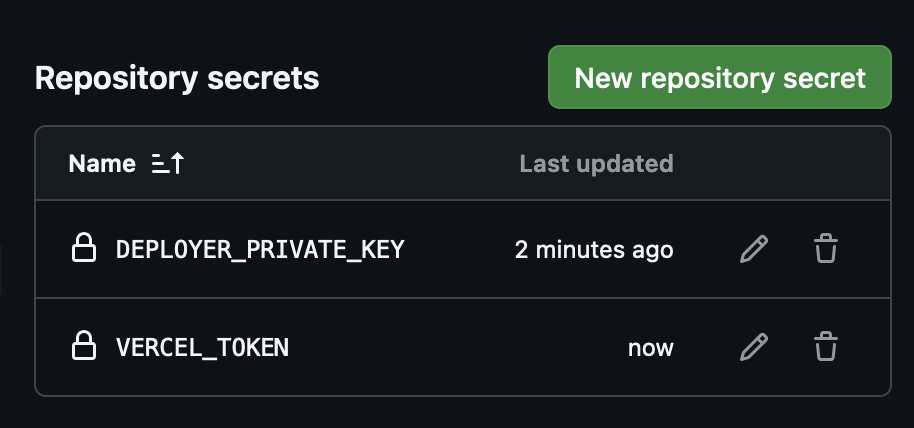
Now each time that you push your code, the GitHub action runs all the jobs, including compiling the contract, deploying it, and deploying the frontend app. When the run is finished you can follow the deployment on the Vercel deployment page (https://vercel.com/<ORG_NAME>/<PROJECT_NAME>/deployments) and the get the URL of your deployed application.